
Your own music
Point KlingKlang at the folder of music on your network drive and browse it by artist, album, genre or composer — even if there are tens of thousands of tracks.
KlingKlang controls your Sonos system from a Mac, phone or tablet. It finds the speakers on your home network and speaks to them directly.
Affordable. No account. No adverts.
KlingKlang is made by us, not by Sonos. We are not connected with Sonos, Inc. in any way, and they have not approved or sponsored this app. We mention their name only so you know which speakers KlingKlang works with.
Sonos' own desktop app was written for the Intel processors Apple stopped using years ago. On a modern Mac it has to be translated as it runs, which makes it slow to open and heavy on the battery. Apple will not keep that translation forever.
Sonos have not replaced it with a new Mac app. What they offer instead is a website, play.sonos.com, which you open in a browser and sign in to with a Sonos account. Your commands travel out to Sonos' servers and back again, so if your internet is down, you cannot turn your speakers up — even though they are sitting in the next room, on your own network.
KlingKlang was written from scratch for today’s Macs, and then for phones and tablets too. It opens immediately, it talks to your speakers directly over your own network, and it will keep working.
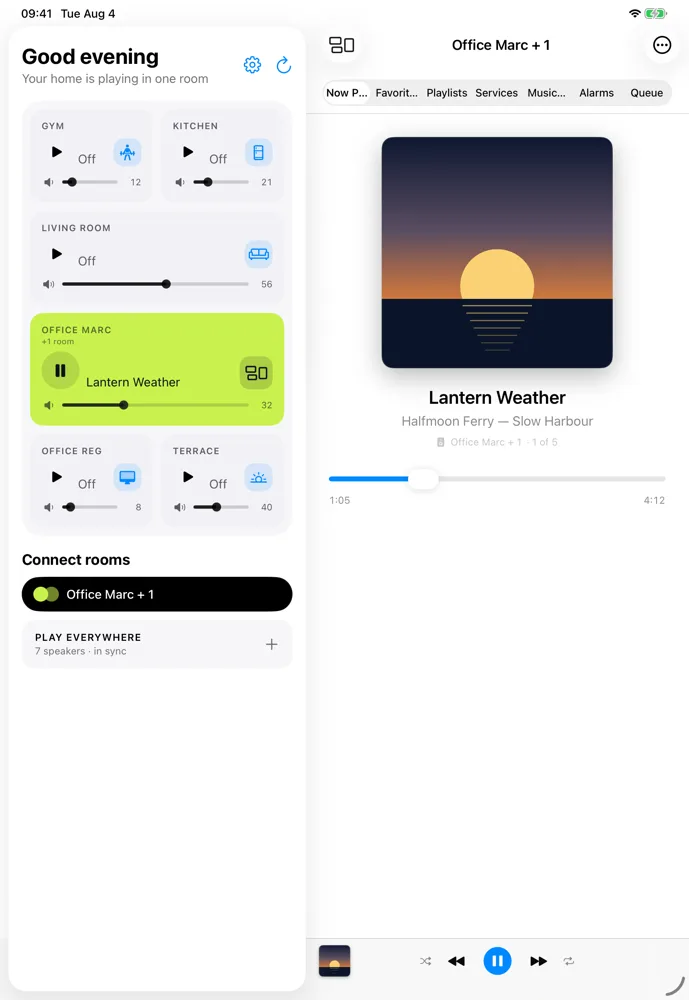
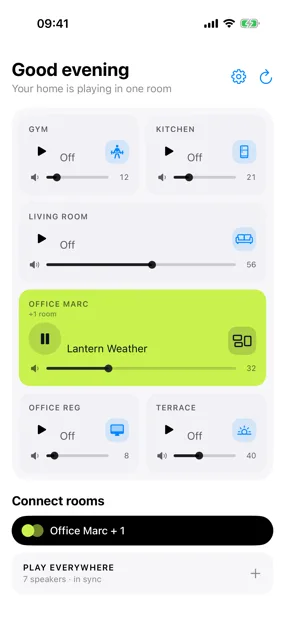
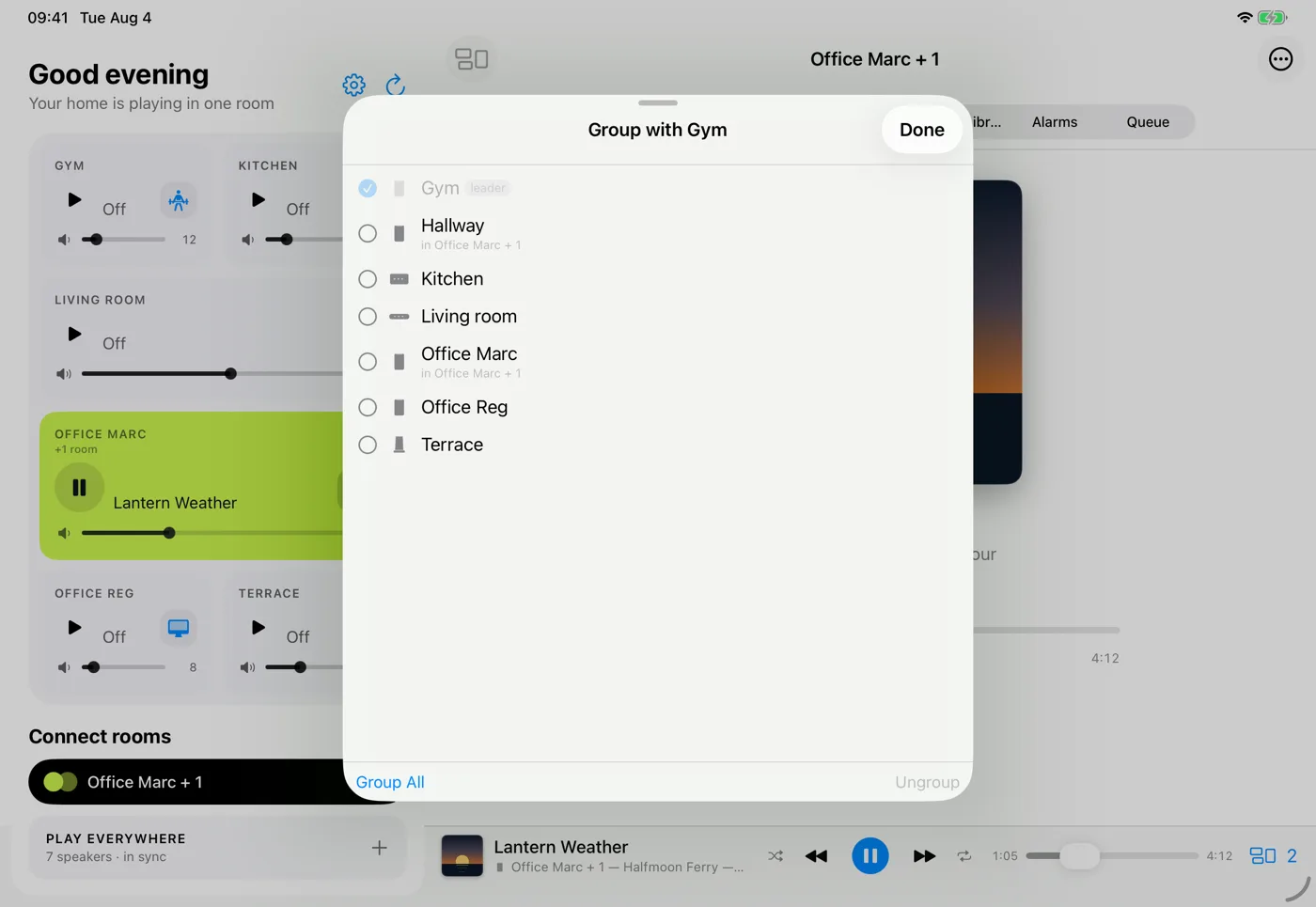
Tap a room to see which others are playing with it, then add or remove them as you like. Send one song to the whole home, or give the kitchen something of its own. There is a button for grouping everything at once, and one for undoing it.
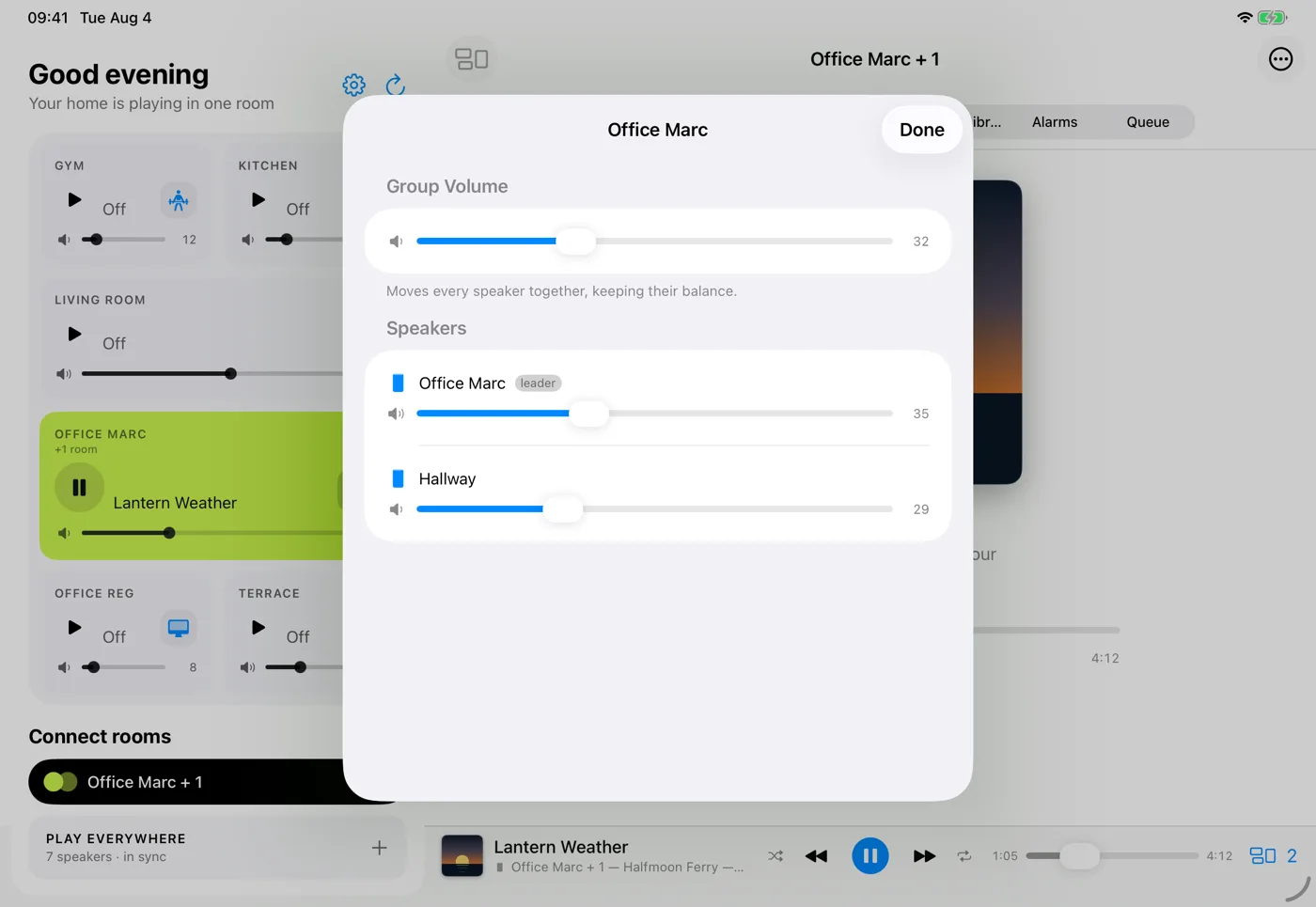
Touch the volume of a group and every speaker inside it appears, each with its own slider. Turn the television speaker down while the rest of the room carries on. Move the group slider instead and they all follow together, keeping the balance you set.
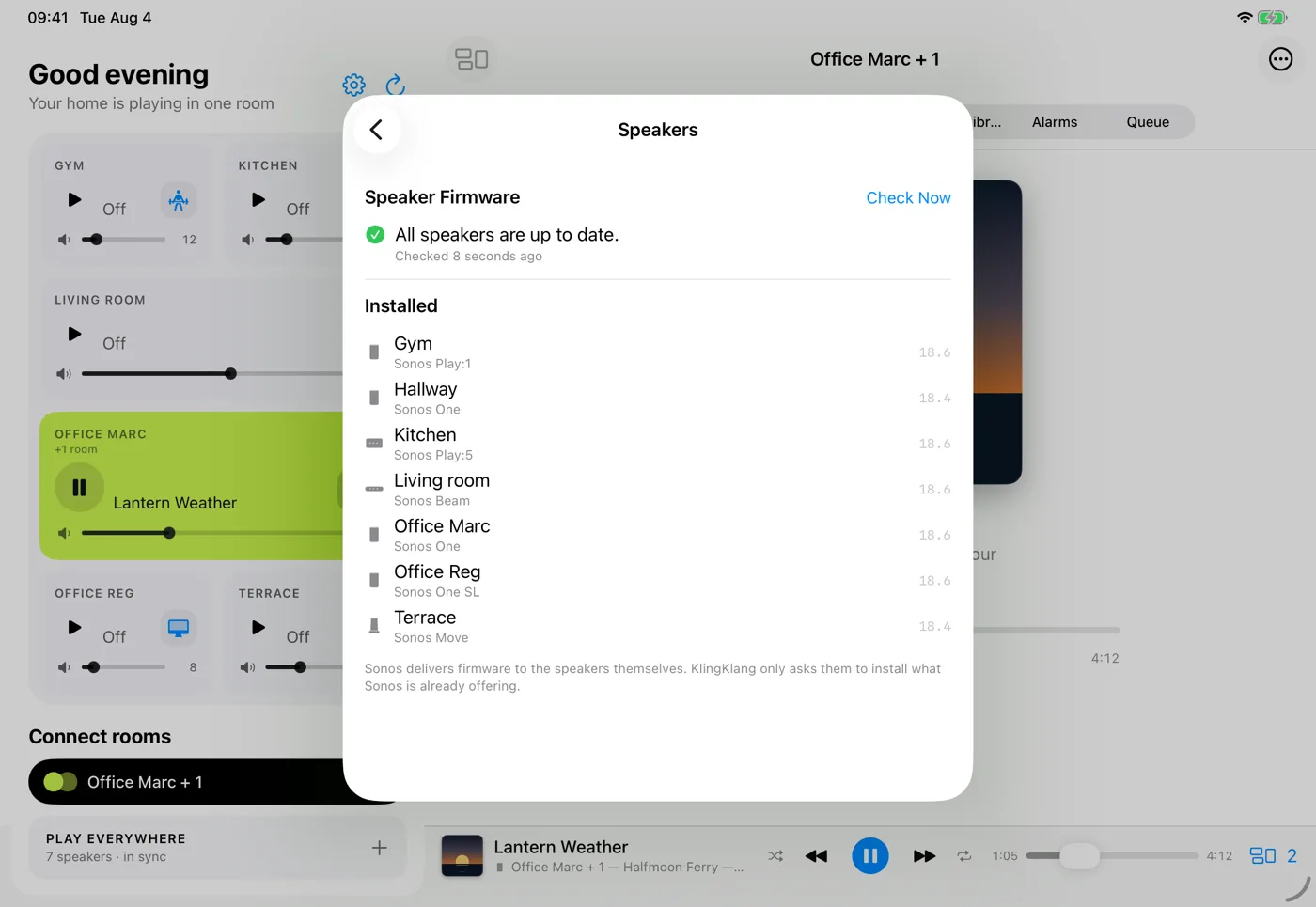
KlingKlang tells you what each speaker is running and installs the update Sonos is offering, without making you open another app. Older speakers that Sonos keeps on their own release are marked as such and left alone, rather than being offered something that was never meant for them.
Point KlingKlang at the folder of music on your network drive and browse it by artist, album, genre or composer — even if there are tens of thousands of tracks.
Search and play from the streaming services set up on your system, such as Spotify, TuneIn, SoundCloud and Pocket Casts, plus your favourites and playlists.
Wake up to a room of your choosing, and let the music fade out after you have fallen asleep.
If something is plugged into the back of a speaker, any room can listen to it. Put the turntable in the living room and hear it in the kitchen.
On the Mac, swap the full window for a small player that stays in a corner, and control the music from the menu bar without switching apps.
The volume keys on your Mac keyboard and the volume buttons on your phone control the room you are looking at.
Each room shows the shape of the speaker actually standing in it, and portable speakers show how much battery they have left.
English, German, French, Italian and Spanish, chosen automatically from your device’s own language setting.
KlingKlang is available now on Google Play and in the Microsoft Store, and is coming to the App Store. We offer it only through the stores, which handle payment and keep it updated for you.
KlingKlang is available now on Google Play and in the Microsoft Store, which handle payment and updates. We will link the Apple versions here once they are approved; we do not distribute the app anywhere else.
For day-to-day listening, yes. You will still need the Sonos app once, to set a brand new speaker up on your network, and for a few settings that only Sonos can change. After that KlingKlang can do the rest.
No. KlingKlang never asks you to sign in. It finds your speakers on your own network and talks to them directly.
If your speakers work with the Sonos app on the same network, they will work with KlingKlang. It handles older and newer models side by side, including stereo pairs and portable speakers.
The first time you open KlingKlang, macOS asks whether it may talk to devices on your home network. That is how it finds your speakers. Say yes, or the app will not see anything.
KlingKlang is a paid app, priced to be easy to say yes to. You buy it once from the store, with nothing to subscribe to and nothing to unlock later. There are no adverts, and nothing about you is sold.
Nothing. There are no accounts, no adverts and no analytics of any kind. Updates arrive through the store you installed it from, like every other app on your device.
KlingKlang speaks directly to the speakers on your own network and never contacts a server operated by us. Features you choose to use, such as streaming services or internet radio, may contact Sonos or the relevant provider directly. There is no KlingKlang account, advertising, analytics or tracking. Credentials for linked services are stored securely on your device and sent only to the service that issued them.